
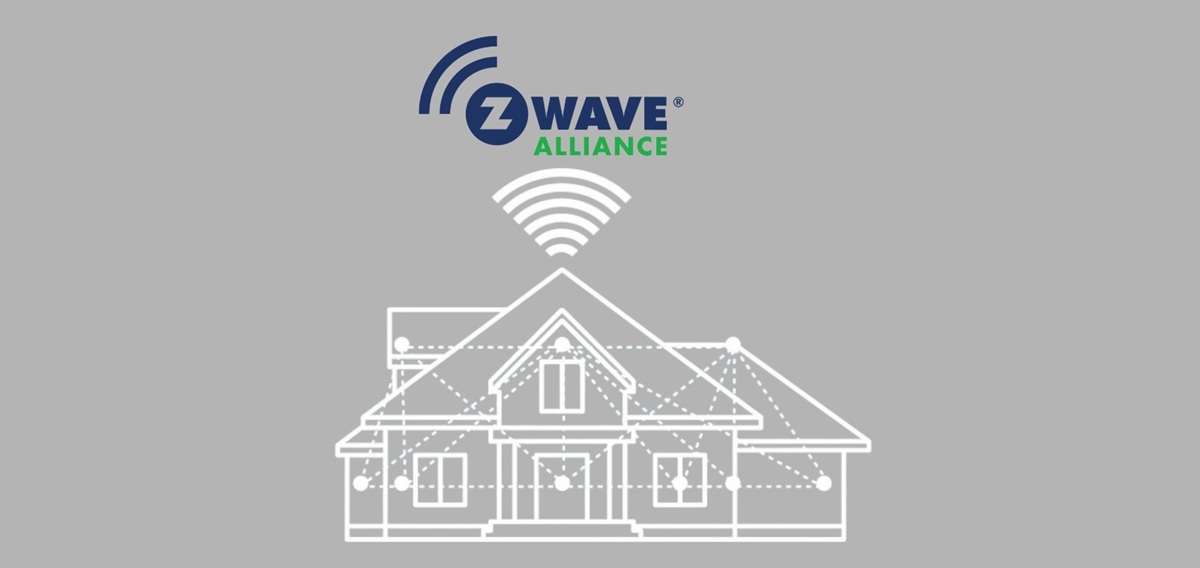
If you want a smart home system that’s reliable, secure, and doesn’t overly rely on Wi-Fi, Z-Wave is a strong choice. Z-Wave is a low-power wireless communications protocol that is designed for home automation and control. Because Z-Wave devices form a mesh network, each device can help relay signals to others, increasing range and robustness.
Here are seven types of Z-Wave devices that can enhance comfort, convenience, security, and energy efficiency in your home.
1. Z-Wave Smart Hub / Controller
What it does: This is the “brain” of your Z-Wave network. It communicates with all your Z-Wave devices, relays commands (from your phone, voice assistant, or automations), and coordinates scenes and logic.
Why it matters: Without a hub, individual Z-Wave devices can’t talk to each other or be centrally managed. A good hub supports over-the-air updates, local automation (so things can still work if your internet is down), and integrations with other ecosystems (e.g. voice assistants).
What to look for:
- Support for the latest Z-Wave generations (e.g. 700/800 series)
- Local control (not 100% cloud dependent)
- Good software/app ecosystem and compatibility
- Enough device capacity (can support lots of nodes)
Using your hub, you could set up a “Goodnight” scene that locks all doors, turns off lights, lowers thermostats, and arms security sensors, all in one tap or voice command.
2. Z-Wave Door / Window Sensors (Contact Sensors)
What it does: These are small sensors you attach to doors or windows. They detect when the door/window opens or closes.
Use cases: Trigger lights when you open a door
- Send alerts if a door/window opens unexpectedly
- Integrate with security — e.g. if the front door opens when the system is in “away” mode, you get a notification or alarm
These are among the simplest Z-Wave devices to deploy, and they provide a foundation for automation and security logic.
3. Z-Wave Smart Locks / Deadbolts
What it does: A lock that you can lock/unlock via your phone, via automations, or remotely. Some models even let you assign temporary PINs or codes to visitors.
Benefits:
- No more fumbling for keys
- You can lock the door automatically when you leave
- Grant access to guests/remotes without giving physical keys
- Receive status (locked / unlocked) in your smart home dashboard
Important features to check:
- Z-Wave security version (look for S2 or higher)
- Battery life
- Manual override (key cylinder)
- Compatibility with your door (backset, thickness)
Schlage is one brand known for producing Z-Wave enabled locks.
4. Z-Wave Smart Switches / Dimmers / In-Wall Controls
What it does: These replace your traditional light switches or dimmers to allow remote control, scheduling, automation, and status reporting (on/off).
Why you’d use them:
- You can automate lighting (e.g. turn on at dusk, off at sunrise)
- Voice or app control
- Use motion sensors, scenes, or routines to trigger lighting
Because they’re in-wall, they preserve normal wall-switch behavior (so guests or non-smart users can still use the switch)
Things to watch out for:
- Some loads (e.g. very low wattage LED bulbs) may require a neutral line or special dimmer compatibility
- Maximum load (amps) for the device
- Multi-way / 3-way switch support
5. Z-Wave Smart Plugs / Outlets / Modules (Plug-in Modules)
What it does: These are “smart sockets”: you plug the device into your existing outlet, then plug a lamp or appliance into the module. The module can turn power on/off (or sometimes dim) and measure energy usage.
Why they add value:
- Easy way to bring “dumb” devices into your smart ecosystem
- Monitor energy usage per device
- Use scheduling and automations
- Useful for lamps, fans, small appliances
Caveats:
- Don’t use with very high current loads (large appliances) unless the module is rated for it
- Make sure the plug design matches your outlet format (size, clearance)
6. Z-Wave Motion / Occupancy Sensors
What it does: These sensors detect motion (or presence) in a room.
How you might use it:
- Turn lights on when someone enters, off after vacancy
- Trigger reminders, alerts, or automations
- Combine with thermostats to adjust heating/cooling when rooms are occupied
- Security logic (detect movement during “away” mode)
Features to consider:
- Battery life (some can last years)
- Sensitivity, range, and field of view
- Ability to sense light levels or temperature (some sensors include multi-sensing capabilities)
7. Z-Wave Smart Thermostats / HVAC Controllers
What it does: Control your heating, ventilation, and air conditioning (HVAC) systems intelligently, via schedule, presence, or integration with other sensors.
Why it’s powerful:
- Save energy by adjusting temperature based on time or occupancy
- React to external signals (e.g. open window sensor, motion sensor)
- Remote control and monitoring (e.g. you can lower heating while away)
Things to check:
- Compatibility with your HVAC system (wiring, number of stages, heat pump, etc.)
- Does it support sensors (some thermostats can use remote sensors)
- Integration with your hub/automation platform
Bonus Emerging Option: Z-Wave Garage Door Controllers
Though this would be an “honorable mention,” Z-Wave garage door controllers allow you to monitor and operate your garage door via your smart home system. You can integrate them into “Away / Home” scenes or get alerts if it’s left open.
Putting It All Together: Example Smart Home Setup & Interactions
Here’s how these devices can work in concert:
- You leave home, and your hub triggers the “Away” mode
- Doors lock (smart locks), lights turn off (switches/dimmers), thermostat shifts to energy-saving mode
- If any door/window is opened, a sensor triggers an alert and perhaps turns on lights
- If motion is detected in an area while away, you get a notification
- At evening, dusk triggers your smart switches to turn on outdoor or hallway lights
- When you return, your smart lock unlocking can trigger lights to turn on and thermostat to resume comfort mode
In short, Z-Wave gives you a set of interoperable, low-power devices you can mix and match to automate, monitor, and remotely control your home. Because it’s designed specifically for home control (rather than general networking), it often offers more reliability, lower interference, and longer battery life for sensors and small devices.
Learn more on the Z-Wave Alliance use cases page.
